

Best Phone Cases for Every Phone User in 2026

A phone case often gets chosen in a rushed moment. The color looks right, the price seems reasonable, and the case goes on before anyone checks whether it works with the charger, protects the camera, or feels comfortable in a pocket. The first drop, stiff button, overheating wireless charge, or stretched edge exposes the mistake.
The best phone cases aren't universal. The right choice depends on how the phone is carried, where it gets used, how much drop risk it faces, and which accessories need to connect every day. A practical decision starts with three questions:
- Daily use: Does the phone spend most of the day in a pocket, a work truck, a gym bag, or a hand?
- Protection level: Is the main risk a desk-height slip, a hard outdoor surface, or repeated handling around tools and children?
- Charging and accessories: Will the owner use MagSafe, Qi2, a magnetic car mount, a wallet, or a charging puck?
Those answers matter more than a fashionable finish. A case should protect the handset without making charging unreliable, buttons unpleasant, or everyday carrying annoying.
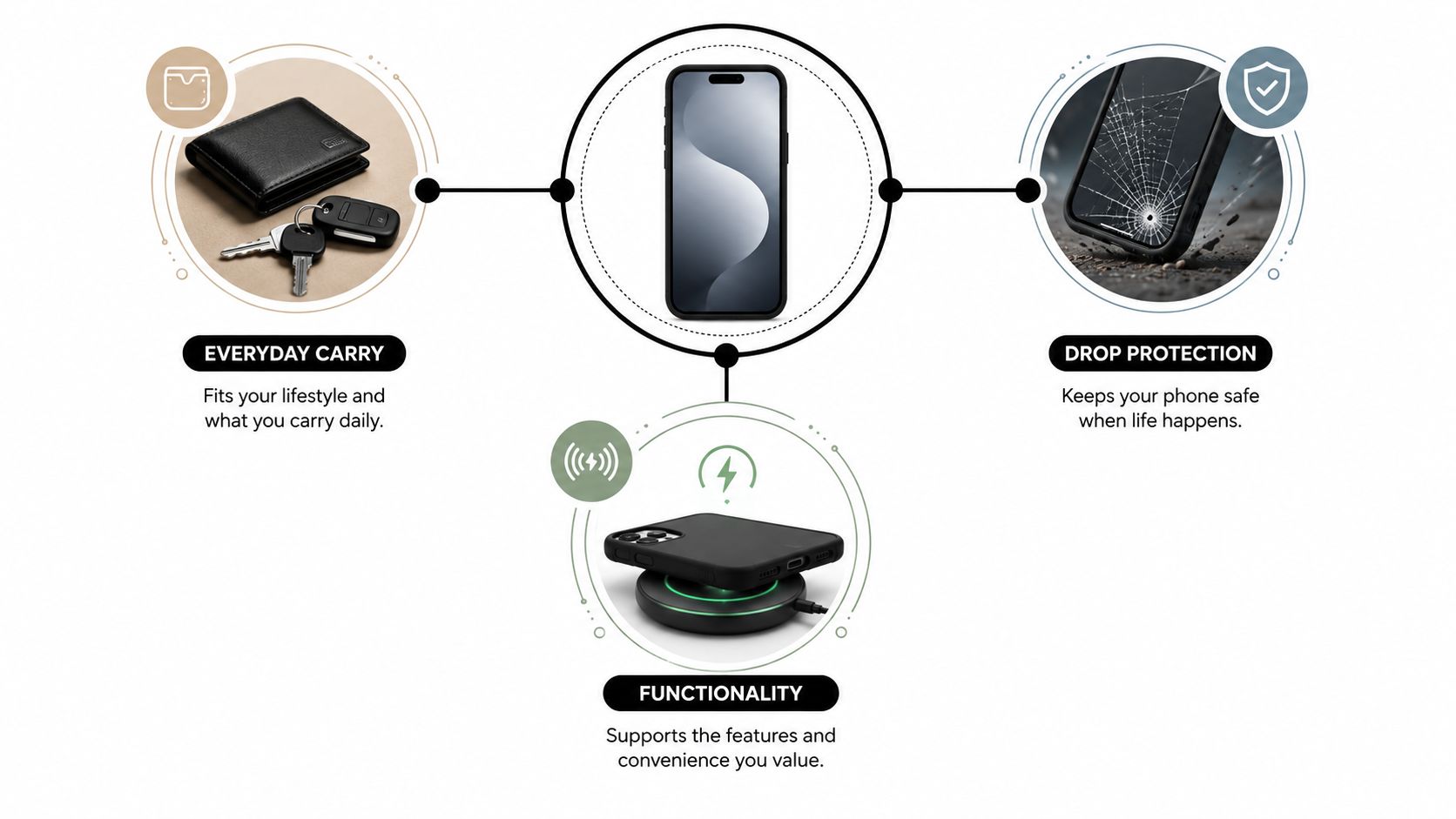
The most useful way to shop is to treat the case as a two-to-three-year decision, not a disposable accessory. A case that survives drops but blocks the preferred charger may become frustrating. A beautiful slim case may be a poor fit for someone who regularly works outdoors. The sections below focus on materials, form factors, charging, hidden wear, and care, so shoppers can choose once with fewer regrets.
Table of Contents
- Why the Best Phone Case Is a Personal Decision
- Understanding Case Materials and How They Feel
- Decoding Drop Ratings and Military-Grade Claims
- Matching the Case Style to Your Daily Life
- MagSafe, Qi2, and Wireless Charging Compatibility
- The Hidden Trade-Offs Most Shoppers Overlook
- Your Pre-Purchase Checklist and Care Tips
- Choosing Your Case and Where to Shop
Why the Best Phone Case Is a Personal Decision
The best phone case for a commuter isn't automatically the best phone case for a contractor. A commuter may value a slim profile, easy pocket access, and reliable wireless charging. A contractor may need reinforced corners, a raised screen edge, and a grip that stays secure around dust, tools, and hard surfaces.
A useful first filter is the phone's environment. Someone who carries a handset between a desk and a soft bag may need scratch protection and a modest camera lip. Someone who carries it near concrete, tile, equipment, or outdoor terrain should prioritize impact management over a thin silhouette.
Practical rule: Choose the case for the phone's worst regular day, not its easiest day.
Start with the daily routine
The case has to fit the way the owner handles the device. Frequent one-handed use favors a textured back or flexible edges. Frequent travel may favor a wallet design or a MagSafe-compatible case that accepts a stand or card holder. People who switch between a pocket and a wireless charger should avoid decorative attachments that need constant removal.
The fit also matters. A case made for a similar-looking phone can misalign the camera opening, mute switch, buttons, or charging port. Exact model compatibility should come before color, material, or brand reputation.
Match protection to risk
Drop protection comes from more than thickness. A well-designed hybrid can absorb impact while keeping the phone from contacting the ground at a vulnerable point. Raised edges around the display and camera help prevent direct contact with flat surfaces, while reinforced corners add protection where many accidental drops land.
The research on smartphone drop protection identifies hybrid construction using a TPU inner layer and polycarbonate outer shell as the strongest practical approach among the materials discussed. TPU deforms to absorb and spread impact energy, while polycarbonate maintains structural integrity and reduces localized contact with the handset.
Think beyond the first day
A case that feels excellent in a product photo can become less appealing after months of pocket lint, worn edges, softened buttons, or charging interruptions. Buyers should consider whether the material can be cleaned, whether the case remains replaceable, and whether the design will keep working with accessories as the phone ages.
That longer view separates a useful purchase from a quick visual upgrade. The right case should be protective enough for the owner's routine, pleasant enough to use daily, and compatible with the charging setup that will remain in service.
Understanding Case Materials and How They Feel
Material determines how a case bends, grips, absorbs impact, resists scratches, and ages. Product listings often mention several materials without explaining their roles, so shoppers should read them as clues about handling rather than as decoration.
TPU and polycarbonate
Thermoplastic polyurethane, or TPU, is flexible and works well as a shock-absorbing layer. It bends around the phone, adds grip, and helps manage impact energy instead of transferring all of it directly to the handset.
Polycarbonate, or PC, is the rigid hard-shell material. It resists scratches, holds the case's shape, and helps prevent the shell from collapsing when it hits a surface. Rigid polycarbonate alone is better at surface protection than severe impact management, while soft materials such as leather provide minimal energy dissipation during a hard drop. The phone-case material guide from SUPCASE distinguishes TPU as the flexible shock-absorbing layer and polycarbonate as the rigid structural layer.
A hybrid PC plus TPU case combines those jobs. It normally offers a more balanced feel than either material alone, which is why hybrid builds remain the safest default for shoppers who want meaningful protection without choosing a fully rugged case.
Silicone, leather, and aramid
Silicone feels soft and grippy. It can be comfortable for one-handed use, but it may collect lint and can stretch as it ages. It suits users who value a pleasant hand feel and don't mind regular cleaning.
Leather looks refined and develops visible wear. It can make a phone feel more like a premium accessory, but it isn't the material to choose for severe drop protection. Leather's appeal is touch, appearance, and aging character, not maximum energy absorption.
Aramid fiber is lightweight, thin, and distinctly textured. It suits minimalists who want a premium technical feel without a bulky shell. The trade-off is straightforward: a minimalist aramid case usually prioritizes low profile and scratch defense over the layered impact management of a protective hybrid.
Recycled and newer alternatives
Recycled, plant-based, and mycelium-based materials appeal to shoppers who want alternatives to conventional plastics. They can be attractive choices, but they shouldn't be treated as automatically more durable or more sustainable in every real-world situation. Materials age differently, and end-of-life handling, replaceability, and actual service life matter.
The 2026 phone-case trend coverage highlights the shift toward recycled, plant-based, and mycelium-based cases, along with newer ideas involving reactive materials, E-Ink, and phase-change materials. Those developments broaden what a case can do, but buyers still need practical information about heat, charging, wear, and replacement before choosing an experimental material.
Decoding Drop Ratings and Military-Grade Claims
“Military-grade” sounds definitive, but it isn't a promise that a phone will survive every accident. The useful question is whether the listing identifies the standard, procedure, surface, number of impacts, and inspection method.
MIL-STD-810G Method 516.6 Procedure IV refers to a transit drop test. The device is dropped 26 times onto 2-inch plywood over concrete, with impacts covering faces, edges, and corners, and the device is inspected after each impact for functional and structural integrity, as explained in this breakdown of military phone-case standards.
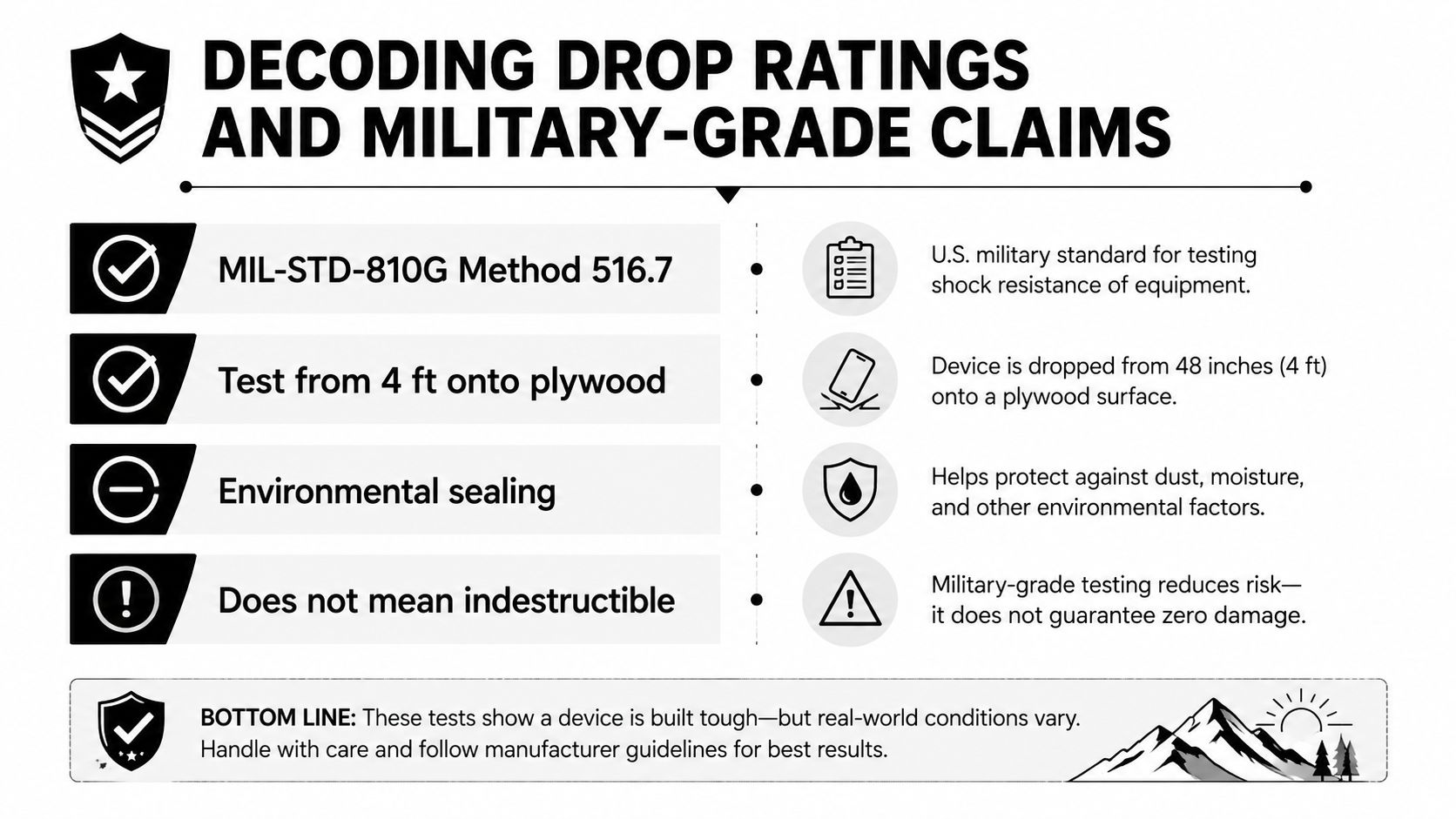
That test provides a meaningful reference, but it doesn't recreate every real accident. A phone dropped onto a corner can experience a different force from one landing flat. A case can pass a controlled test and still fail if the handset hits an exposed camera lens, lands on an uneven stone, or receives repeated impacts in the same area.
What useful listings reveal
A credible protection listing should give enough detail for a shopper to understand the claim. Look for:
- Named standard: The listing should identify the exact MIL-STD reference instead of using only “military-grade.”
- Test procedure: A procedure number gives more context than a vague “drop tested” label.
- Impact details: The surface, faces, edges, and corners should be clear.
- Physical design: Reinforced corners, a raised camera lip, a raised screen edge, and internal air space are more useful clues than dramatic marketing language.
- Phone fit: Protection depends on the case staying securely around the actual model.
A product page that says only “protects against drops” leaves too much unanswered. The absence of a test height, surface, angle, or procedure doesn't prove the case is weak, but it does mean the claim is difficult to compare.
Choose for realistic handling
A handheld drop from around waist or hand level is a common real-world concern, but no rating makes a handset indestructible. Buyers should select a case with enough protection for the environments they regularly enter, then add a screen protector when front-glass scratches and impacts are a concern.
A drop rating is evidence of a test, not a guarantee of the next accident.
Matching the Case Style to Your Daily Life
Case style should follow routine. A slim case that disappears in a pocket can be the best choice for a careful office user and a poor choice for someone who handles tools outdoors. The same phone can need completely different protection depending on where it goes.
| Style | Best For | Trade-Off |
|---|---|---|
| Slim case | Minimalists and pocket carriers | Less impact-focused structure |
| Rugged case | Tradespeople, parents, and outdoor users | More bulk and weight |
| Clear case | Showing the phone's original color | Clear materials can yellow with age |
| Wallet case | Travelers carrying cards and identification | Thicker and less convenient for wireless charging |
| Battery case | Heavy users and travelers needing extra power | Adds bulk and weight |
| MagSafe-compatible case | Users with wallets, stands, mounts, or charging pucks | Requires careful magnet and accessory compatibility |
Slim cases
A slim case is best for someone who wants scratch protection, a little extra grip, and easy pocket access without changing the phone's shape. Thin aramid, TPU, or hard-shell designs often suit this group.
The compromise is protection depth. A slim profile has less room for cushioning and reinforced geometry, so it shouldn't be the automatic pick for high-drop environments. Someone who regularly sets a phone on concrete, near equipment, or around active children should look for more substantial corner coverage.
Rugged cases
Rugged cases suit tradespeople, parents, travelers in demanding environments, and outdoor users. Their textured surfaces can improve handling, while layered construction and reinforced corners focus on impact resistance.
The downside is daily friction. A thick case may catch in a pocket, feel awkward on a car mount, or make buttons harder to reach. Rugged buyers should still check port access, camera clearance, and compatibility with wireless chargers.
Clear, wallet, battery, and magnetic designs
Clear cases keep the phone's original color visible, which makes them popular for gifts and new-device owners. The obvious risk is aging appearance, since clear materials can yellow over time.
Wallet cases replace a separate cardholder for shoppers who prefer a combined carry solution. They work well for travel and quick errands, but their extra layers can make charging and one-handed handling less convenient. Battery cases add power for heavy users and travelers, but the convenience comes with a larger profile.
MagSafe-compatible cases are the flexible middle ground for users who want to attach wallets, stands, mounts, or charging pucks. They don't replace a protection decision, but they can make the phone easier to use across different settings.
MagSafe, Qi2, and Wireless Charging Compatibility
Magnetic charging works best when the case keeps the coil and magnet system aligned. A case can look thin and still interfere with charging if its magnet ring is poorly positioned, its materials are too dense around the charging area, or an attachment sits between the phone and charger.
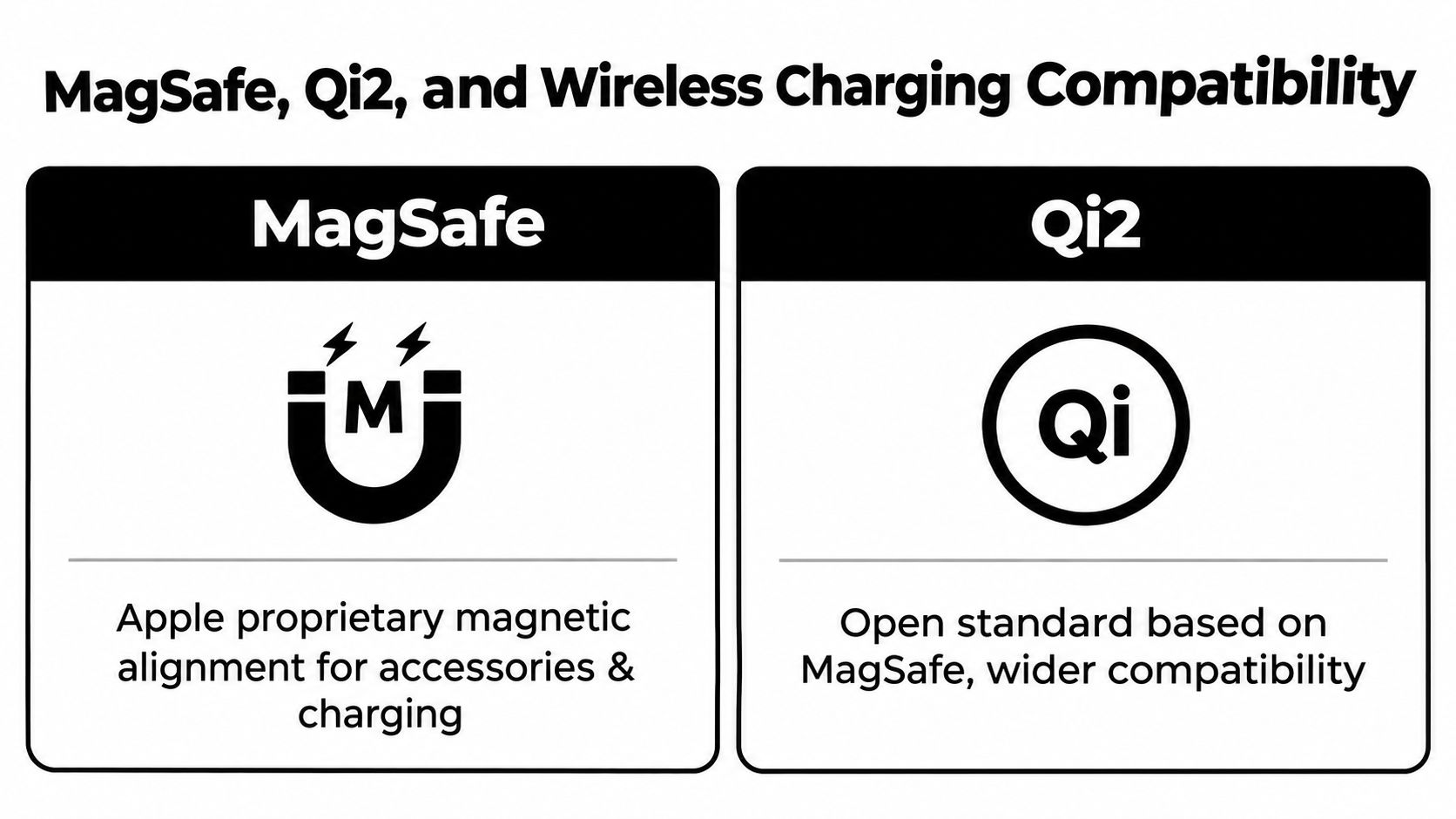
The second-generation MagSafe system, announced in 2024 with iPhone 16 models, provides up to 25 W of power, while Qi2 supports up to 15 W, according to this MagSafe reference). Those thresholds matter when a buyer expects a case to support a particular charging setup.
MagSafe and Qi2 use different ecosystems
MagSafe is Apple's proprietary magnetic alignment system for compatible iPhones and accessories. Qi2 is an open standard based on the same general alignment concept, with broader device and accessory compatibility. Neither label means every case will deliver the same experience, because the magnet placement and case construction still determine how securely accessories connect.
A shopper planning to use a magnetic wallet, car mount, stand, or charging puck should look for explicit MagSafe or Qi2 compatibility. A generic magnetic ring may attach weakly, sit off-center, or reduce charging reliability.
Thickness isn't the only issue
A thick case can slow or interrupt charging, but thin cases aren't automatically thermally neutral. Independent thermal research examined smartphone cases built from TPU and polycarbonate at 1.5 mm thickness, showing that even relatively thin construction can alter heat-transfer pathways. The smartphone thermal research also found that changing the location of ventilation holes in an outer case improved cooling efficiency during wireless-charger testing.
Case shoppers should therefore inspect the charging area, magnet alignment, ventilation design, and accessory instructions. The guide to MagSafe phone accessories can help buyers think through the wallet, mount, and charging combinations they plan to use.
The Hidden Trade-Offs Most Shoppers Overlook
During my testing, I have seen shoppers focus on drop labels and surface finish, then regret the purchase when buttons feel stiff or the case becomes awkward to use. A case can survive a fall and still frustrate you every day. Since a phone case may stay on the phone for two or three years, charging, grip, cleaning, and replacement deserve as much attention as impact protection.
Heat deserves attention
Case design can affect heat buildup during charging and high-load use. That matters if you charge wirelessly for long sessions, record video, play demanding games, or keep the phone in a warm environment.
Thickness alone is a poor buying shortcut. A heavy case may protect well while making the phone hotter or harder to charge. Look for clear charging clearance and sensible ventilation, then weigh those features against the protection level you need. Good thermal behavior can make a larger difference over years of use than an impressive label on the package.
Long-term test: If a case makes charging, gaming, or button use annoying, its drop rating will not rescue the purchase.
Button feel changes the experience
Rigid shells can make buttons stiff, especially when separate covers have little flex. Soft TPU covers usually press more easily, but loose edges can become less secure with wear. Choose molded button covers that preserve tactile feedback instead of trusting a vague claim about “full access.”
Port openings need the same inspection. A narrow opening may reject a thicker charging cable, while a deep lip can force the connector against the case. Try the cable you already use, not just the one shown in the product photo.
Grip and camera clearance need balance
Smooth cases look clean but can slide across furniture or out of a damp hand. Textured surfaces improve control, although aggressive patterns may feel rough in a pocket or collect debris.
Camera lips create another compromise. A low lip can leave lenses exposed on a table. An excessively high one can make the phone wobble when placed flat. Check whether the case also works with your grip, pop-style attachment, or metal plate, since these accessories can weaken magnetic alignment or block the charging connection.
Eco-materials raise a separate long-term question. Recycled, plant-based, and mycelium-based cases may suit sustainability-minded shoppers, but the material label does not prove how well a case ages, whether it can be replaced, or what happens at the end of its use. Choose the case that stays comfortable, functional, and available for replacement throughout the phone's ownership period.
Your Pre-Purchase Checklist and Care Tips
A smart case purchase can be checked quickly. The following routine catches the problems that product photos usually hide:
- Confirm the exact phone model and year. Camera layouts, button positions, and dimensions can differ between closely related versions.
- Inspect the raised edges. The screen and camera should have protection from direct contact with flat surfaces.
- Check button responsiveness and port access. Covers should press cleanly, and the charging opening should fit the intended cable.
- Test the grip. A case should feel secure without becoming uncomfortable in a pocket.
- Verify charging compatibility. Read the stated MagSafe or Qi2 compatibility and the supported watt rating instead of guessing from a magnet symbol.
- Consider replacement and maintenance. A case that can be cleaned and replaced easily is more practical over a long ownership period.
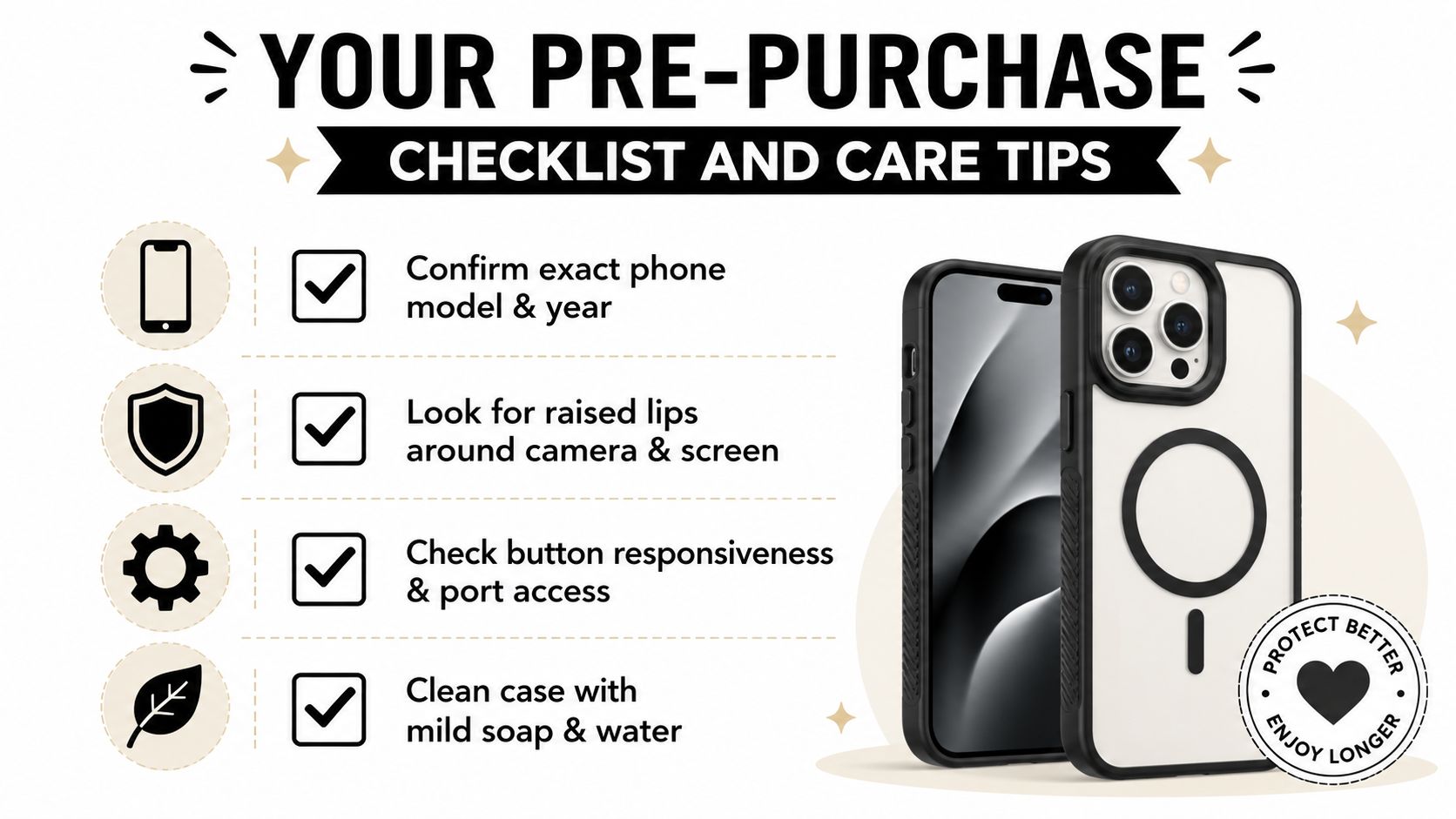
Care takes little effort. Remove the case regularly to clear pocket lint from the edges, camera opening, speakers, and charging port. Wash silicone and TPU with mild soap and water, then let them dry fully before reinstalling. Leather and eco-materials need gentler handling, so harsh cleaners should be avoided.
A suitable screen protector guide can complement the case, especially for shoppers who want separate protection for the display. The case and protector should be checked together, since an edge that sits too high can lift a protector at the corners.
Choosing Your Case and Where to Shop
The decision can be reduced to three matches. Choose the form factor that fits the daily routine, the material that delivers the desired grip and feel, and the protection level that matches the environment. Then confirm the exact phone model and charging system before buying.
A practical default is a hybrid TPU and polycarbonate case for balanced impact management and structural support. Minimalists may prefer aramid or a slim TPU design. Travelers may want a wallet case, while MagSafe and Qi2 users should select a case with clearly stated magnetic compatibility. People who work outdoors or handle equipment should accept extra bulk in exchange for reinforced corners and better grip.
Gift shoppers can use the same logic. A case is a high-confidence present when the recipient's phone model is known, but the safest gift choice is a versatile style with reliable access to buttons, cameras, ports, and charging. A case such as the iPhone 17 premium phone case should still be checked against the recipient's exact device before purchase.
The right case is the one that remains comfortable, protective, charge-friendly, and serviceable throughout the next two-to-three years of daily use. Appearance matters, but it shouldn't outweigh handling, heat, accessory fit, or the ability to replace the case when wear finally appears.
Granted Solutions offers practical phone accessories and gift-ready everyday gadgets, including options for slim protection, rugged handling, and magnetic charging setups. Visit Granted Solutions to browse useful cases and accessories chosen for real daily routines, then pick the one that fits the phone and the person who carries it.
Leave a comment