

How to Choose a Projector That Truly Fits Your Space

The projector is on the coffee table, the wall is clear, and the room looks dark enough at dusk. Yet the buyer still has the remote in hand, wondering whether a compact 1080p bedroom projector will hold up in the living room, or whether a brighter model will create a better picture without turning setup into a project.
That uncertainty comes from shopping by specifications before considering the room. The practical answer to how to choose a projector starts with viewing habits, available light, wall distance, and placement. Brightness, resolution, contrast, throw ratio, audio, and installation features only matter after those conditions are clear.
Table of Contents
- Start With Your Room and How You'll Use It
- Decode Brightness, Resolution, and Contrast
- Match Projector Types to Your Use Case
- Get the Throw Ratio Right Before You Buy
- Build Your Final Shortlist by Budget
- Plan Installation, Maintenance, and Your Next Step
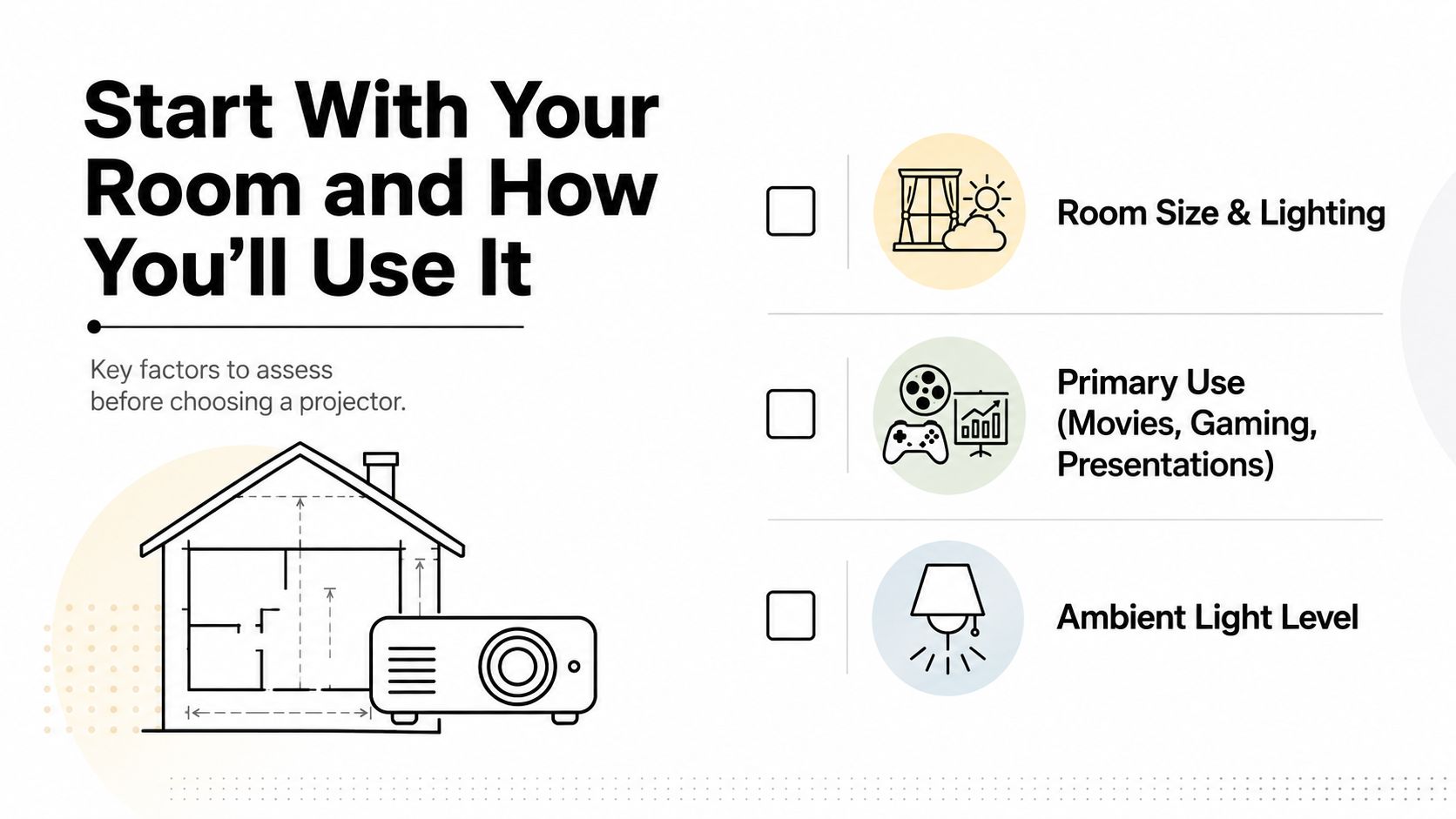
Start With Your Room and How You'll Use It
A bedroom cinema, a living-room movie setup, a classroom presentation, and an outdoor screening may all use projectors, but they need different combinations of brightness, resolution, placement, and sound. A dim bedroom can favor quiet operation and strong black levels. A living room with open windows needs more light output. A classroom needs readable text from the back of the room, while a backyard setup needs portability, power planning, and a screen that won't flap in the wind.
Before opening a specification sheet, answer four questions:
- What content will fill the screen? Films reward contrast and black-level performance. Sports and gaming benefit from brightness, sharp motion, and responsive inputs. Slides and spreadsheets need readable text and an aspect ratio suited to business content.
- When will viewing happen? Evening-only use in a controlled room gives the projector an easier job. Daytime viewing, overhead LEDs, windows, and skylights all raise the brightness requirement.
- How much wall-to-lens distance exists? Measure the usable path, not the room's total length. Furniture, walkways, shelving, and a ceiling fan can remove more placement space than expected.
- Where does light enter? Note windows, glass doors, skylights, lamps, and overhead fixtures. A projector that looks impressive in a dark bedroom may appear washed out in a bright living room.
Practical rule: The room decides the projector category before resolution decides the model.
For a bedroom movie setup, a light-controlled space can work with a lower-brightness home-theater projector, especially when the target image isn't oversized. A living room usually calls for a brighter unit and convenient setup features such as autofocus, optical zoom, or restrained keystone correction. A classroom or conference room generally needs substantially more light output because the room can't be darkened completely. Outdoor viewing works best after sunset, with a dedicated screen and a plan for power and sound.
Renters and small-apartment buyers should also account for the hidden cost of placement. A projector with lens shift, optical zoom, and flexible mounting can prevent a poor installation from forcing digital image correction. A practical bedroom projector setup guide can help identify bed placement, wall clearance, and cable paths before a purchase.
Decode Brightness, Resolution, and Contrast
Brightness is the specification most likely to disappoint buyers. The useful figure is ANSI lumens, not a vague “LED lumens” or “light source lumens” label. Those marketing terms may be measured differently, so they shouldn't be compared directly with ANSI ratings. The projector market reference from Mordor Intelligence identifies 3,000 to 5,000 lumens as the largest projector brightness range in 2025, with 37.92% market share, while sub-3,000-lumen models are projected to be the fastest-growing brightness segment through 2031 at a 7.78% CAGR.
The right target still depends on the room. A fully controlled room can work around 1,000 to 1,200 ANSI lumens, a room with limited ambient light commonly fits 1,500 to 2,000 ANSI lumens, and a brighter living room or office may need 2,000 to 2,500 ANSI lumens, based on the projector and screen selection guide from Purchasing Power. For a 100 to 120 inch image, that same guide recommends at least 1,500 ANSI lumens in a dark room, 2,500 or more with some ambient light, and 3,500 or more in bright rooms or for outdoor night use.
Resolution comes next. 1080p is the versatile home-theater baseline, while 720p makes sense mainly for casual portable viewing. 4K earns its premium when the screen is large, the seating is close, or detailed cinema content matters. Aspect ratio also affects the decision. Home entertainment normally favors 16:9, while business presentations commonly use 4:3, as outlined by the projector calculator from WeaveJam.
Contrast needs a more careful reading. Native contrast describes the projector's underlying light and dark performance, while dynamic contrast often relies on changing the light source or iris between scenes. A lower, credible native contrast figure can produce more satisfying movie blacks than a much larger dynamic number, particularly in a dark room.
| Room Scenario | Recommended Lumens | Minimum Resolution | Contrast Priority |
|---|---|---|---|
| Dark bedroom cinema | 1,000 to 2,000 ANSI lumens | 1080p | High |
| Living room with controlled light | 1,500 to 2,500 ANSI lumens | 1080p | Medium to high |
| Bright living room or office | 2,500 to 3,500 or more ANSI lumens | 1080p | Medium |
| Classroom or conference room | 4,000 ANSI lumens or more | 1080p or business presentation resolution | Medium |
| Large venue | 7,000 or more ANSI lumens | Based on content and screen size | Medium |
For films, prioritize contrast and black levels. For sports and gaming, prioritize brightness and resolution, then check input performance and connectivity.
Match Projector Types to Your Use Case
The best projector category becomes clearer when the room scenario is fixed. A dedicated bedroom cinema doesn't need the same design as a portable backyard unit, and a classroom projector shouldn't be selected like a streaming gadget.
Home theater projectors
A home-theater projector suits a dark bedroom or dedicated media room. Look for 1080p or 4K resolution, credible native contrast, quiet fan behavior, and a lens that matches the seating and screen position. Lower or moderate brightness can be preferable when it preserves black levels and reduces fan noise.
The trade-off is placement discipline. These projectors often perform best when mounted or placed carefully rather than dropped onto a coffee table at an angle. A screen and external audio may also be needed.
Casual living-room projectors
A living room needs convenience as much as image quality. A model in the 2,000 to 3,000-lumen range can handle more ambient light than a dim bedroom unit, while built-in streaming, smart autofocus, and moderate keystone correction make shelf or coffee-table placement easier.
The compromise is that digital correction can reduce image quality, and built-in speakers may not fill a large room. Buyers should prioritize optical placement flexibility first, then smart features.
Business and classroom projectors
Classrooms and conference rooms need brightness, readable text, strong connectivity, and audio that can reach the audience. 3,000 lumens or more is a practical starting point for many presentation environments, while XGA or WUXGA formats can suit slides, spreadsheets, and documents better than a cinema-focused configuration.
Wired inputs matter here because older laptops and presentation hardware may not support the newest wireless workflows. The trade-off is less emphasis on deep movie blacks and more emphasis on legibility under room lighting.
Portable projectors
Portable projectors fit dorm rooms, travel, occasional bedroom use, and backyard movie nights. A compact unit with a built-in battery, streaming access, autofocus, and a tripod mount can be more useful than a brighter model that needs a permanent installation. The category commonly emphasizes 300 to 800 lumens, but buyers must confirm whether the manufacturer means ANSI lumens or another measurement.
Portability costs performance. Small batteries limit viewing time, compact speakers struggle outdoors, and lower light output requires darker conditions and a smaller image. A foldable screen can make a portable setup far more dependable than a bedsheet, and a portable projector screen guide helps match the accessory to travel or backyard use.
| Projector Type | Typical Lumens | Resolution | Best For | Trade-off to Expect |
|---|---|---|---|---|
| Home theater | Low to medium, room dependent | 1080p or 4K | Dark bedroom or cinema room | Requires careful placement |
| Casual living room | 2,000 to 3,000 | 1080p or 4K | Streaming and everyday viewing | Digital correction can reduce quality |
| Business or classroom | 3,000 or more | XGA, WUXGA, or higher | Slides, spreadsheets, and text | Less cinema-focused contrast |
| Portable | 300 to 800 | 720p or 1080p | Travel, dorms, and outdoor nights | Lower brightness, smaller audio, battery limits |
Get the Throw Ratio Right Before You Buy
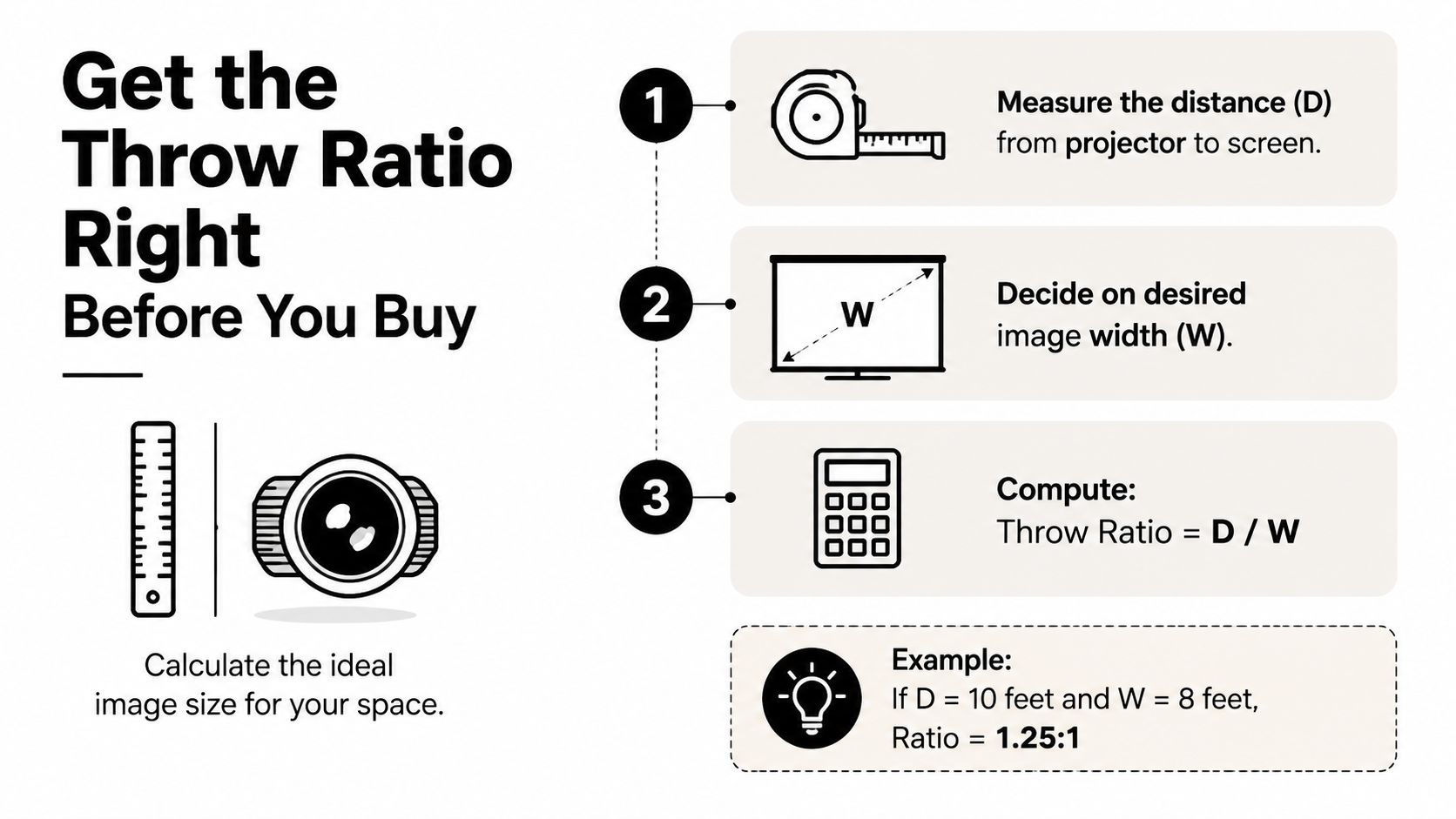
Throw ratio determines whether the projector can physically create the desired image from the available distance. The formula is simple:
Throw Ratio = Throw Distance ÷ Image Width
A buyer should measure from the projector lens to the screen, not from the back of the projector body. The projector throw-distance guide from ProjVue uses the same relationship and notes that a 100-inch diagonal 16:9 screen is about 87 inches wide. A projector with a 1.5 throw ratio would therefore need roughly 10.9 feet of throw distance for that image.
Measure the room in three steps
- Measure the usable wall width. Remove space occupied by furniture, switches, shelves, and trim. The wall determines the maximum practical image width.
- Choose the target image size. A 100-inch diagonal image is a useful mental reference, but the screen should fit the wall and viewing distance rather than chase a dramatic headline size.
- Calculate the required ratio. Divide the lens-to-screen distance by the image width. Then compare that result with the projector's official throw-ratio range.
Ultra-short-throw projectors commonly use approximately 0.19 to 0.25 throw ratio and can sit only 4 to 10 inches from the screen for 100 to 120 inch images, according to The Inspect Aspect's home-theater projector guide. They suit small apartments, children's rooms, and media consoles where a rear shelf or ceiling mount isn't realistic. Standard living-room projectors often work best around 1.2 to 1.5, while a ratio above 1.5 may require a deeper room or a ceiling installation.
Ratios below 0.4 generally belong to ultra-short-throw designs. The 0.4 to 1.2 range covers many short-throw and flexible room layouts, while anything above 1.5 demands more distance. Auto keystone can straighten a tilted image, but it can't change the projector's optical throw ratio.
Placement beats promise: A projector with excellent resolution still fails if its lens can't reach the screen position without distortion, blocked airflow, or a cable running through a walkway.
Budget short-throw claims also deserve scrutiny. A model may project a large image in promotional material but become impractical at larger sizes, so the official throw chart matters more than the category label.
Build Your Final Shortlist by Budget
A useful budget plan starts with the room scenario, then assigns money to the feature that solves the room's biggest problem. A portable projector with smart setup can outperform a brighter fixed unit when the buyer travels frequently. A living-room model with strong light output can be a better choice than a premium 4K projector that looks dull during daytime viewing.
Under $500
This tier fits portable use and entry-level living rooms. Buyers should look for native 1080p where available, realistic brightness around 300 to 800 ANSI lumens, LED or budget laser illumination, autofocus, and straightforward HDMI access. The image should remain modest in size when ambient light is present.
Built-in speakers may be adequate for a bedroom or small indoor viewing group. Outdoor use requires darkness, a stable screen, and a separate speaker if several people are watching.
$500 to $1,200
This range opens the door to stronger home-theater performance, better contrast, quieter fans, and more dependable short-throw optics. It suits a bedroom cinema, a controlled living room, or a small gaming space where the projector can be positioned accurately.
A soundbar or external audio becomes the sensible choice as the screen and room grow. Buyers should still verify ANSI lumens, native resolution, throw range, and input behavior instead of assuming a higher price solves every setup problem.
Above $1,200
This tier moves toward 4K laser projectors and ultra-short-throw systems designed to replace a conventional television-style setup. These models can make sense in living rooms where the projector must sit close to the wall, or in larger home theaters where image quality and long-term light-source consistency matter.
Laser and LED sources generally reduce bulb-replacement concerns, but premium optics and screens can add to the overall installation cost. Audio may also deserve a dedicated soundbar or external system.
| Budget Tier | Best Use Case | Brightness (ANSI Lumens) | Resolution | Throw Ratio | Lamp Type | Audio |
|---|---|---|---|---|---|---|
| Under $500 | Portable use or entry living room | 300 to 800 | 720p or 1080p | Portable or short throw | LED or budget laser | Built-in speakers |
| $500 to $1,200 | Bedroom cinema or controlled living room | Room dependent | 1080p, with some 4K options | Standard or short throw | LED, laser, or lamp | Built-in for smaller rooms, soundbar preferred |
| Above $1,200 | Premium cinema or TV-style living room | Room dependent | 4K | Short throw or ultra-short throw | Laser or LED | Soundbar or external audio |
Before checkout, the shortlist should pass five checks:
- Room distance: The lens-to-screen measurement matches the official throw range.
- Measured brightness: The listing states ANSI lumens or another clearly defined standard.
- Native resolution: The projector's actual panel resolution matches the intended content.
- Gaming needs: Input performance and supported refresh modes fit the console or PC.
- Connectivity: At least one HDMI 2.0 or higher port is available when the source requires it.
Plan Installation, Maintenance, and Your Next Step
A projector becomes enjoyable when the last details are planned before delivery. Tabletop placement is fastest, but it exposes the unit to bumps and may put the image below eye level. A shelf can keep the floor clear, while a ceiling mount offers the cleanest permanent layout. Each option needs a clear lens path, stable support, and room for heat to escape.
Lens shift is the better solution for off-center placement because it moves the image optically without reshaping it. Keystone correction is useful for minor alignment errors, but heavy correction can soften the picture or reduce the usable image area. Renters should favor compact projectors with flexible placement and a mount or shelf solution that doesn't require permanent changes to the room.
Ventilation deserves a dedicated check. Many units need 6 to 12 inches of clearance around their vents, as noted in the projector lens cleaning guide. HDMI and power cables should run along a wall or behind furniture, never across a walking path. A portable screen is practical for temporary use, a retractable screen keeps a shared room visually clean, and a fixed-frame screen offers the most consistent surface for a dedicated theater.
Lamp and solid-state projectors also have different upkeep. Lamp-based models typically require a replacement bulb after 3,000 to 5,000 hours, while laser and LED light sources can run for 20,000 or more hours and usually need only dust-filter cleaning, according to the same cleaning guide. Actual service life depends on operating conditions and manufacturer specifications, so the product manual remains the final authority.
Installation rule: Measure first, place second, correct digitally only when necessary.
The most practical shortlist is the one that matches the room's light, screen size, throw distance, and audio plan. Once those choices are settled, compact projector and accessory bundles can remove much of the guesswork without forcing a buyer into a permanent home-theater build.
Granted Solutions curates compact projectors, practical home gadgets, and accessories that make bedroom, living-room, and outdoor viewing easier to set up. Visit Granted Solutions to shop projector-friendly picks and everyday accessories selected for convenient, problem-solving home use.
Leave a comment