

MagSafe Wallet Stand Explained: The Essential Guide

A morning commute can turn into a small juggling act. A phone slips under a coffee cup, a transit card disappears into a crowded wallet, and a key fob seems to vanish just when a door needs opening. A MagSafe wallet stand brings those essentials closer together by attaching a card holder and viewing stand to the back of a compatible iPhone.
The appeal isn't only a slimmer pocket. This accessory combines magnetic attachment, card storage, and hands-free viewing, but it also introduces trade-offs involving charging, card safety, case compatibility, and attachment strength. Understanding those details helps shoppers choose a wallet stand that fits real daily routines instead of relying on a product title alone.
Table of Contents
- Your Pocket Just Got a Lot Lighter
- How Magnetic Attachment Actually Works
- Checking iPhone Compatibility Before You Buy
- Pros and Cons of Using a Wallet Stand
- The Hidden Charging and Safety Trade-Offs
- Finding Your Perfect MagSafe Wallet
Your Pocket Just Got a Lot Lighter
A commuter leaving home in a hurry often needs a phone, payment card, identification, and access card before the day has even started. A traditional wallet adds another object to locate and carry. A MagSafe wallet stand reduces that shuffle by keeping selected cards on the phone, where they stay available during a checkout, transit tap, or office entry.
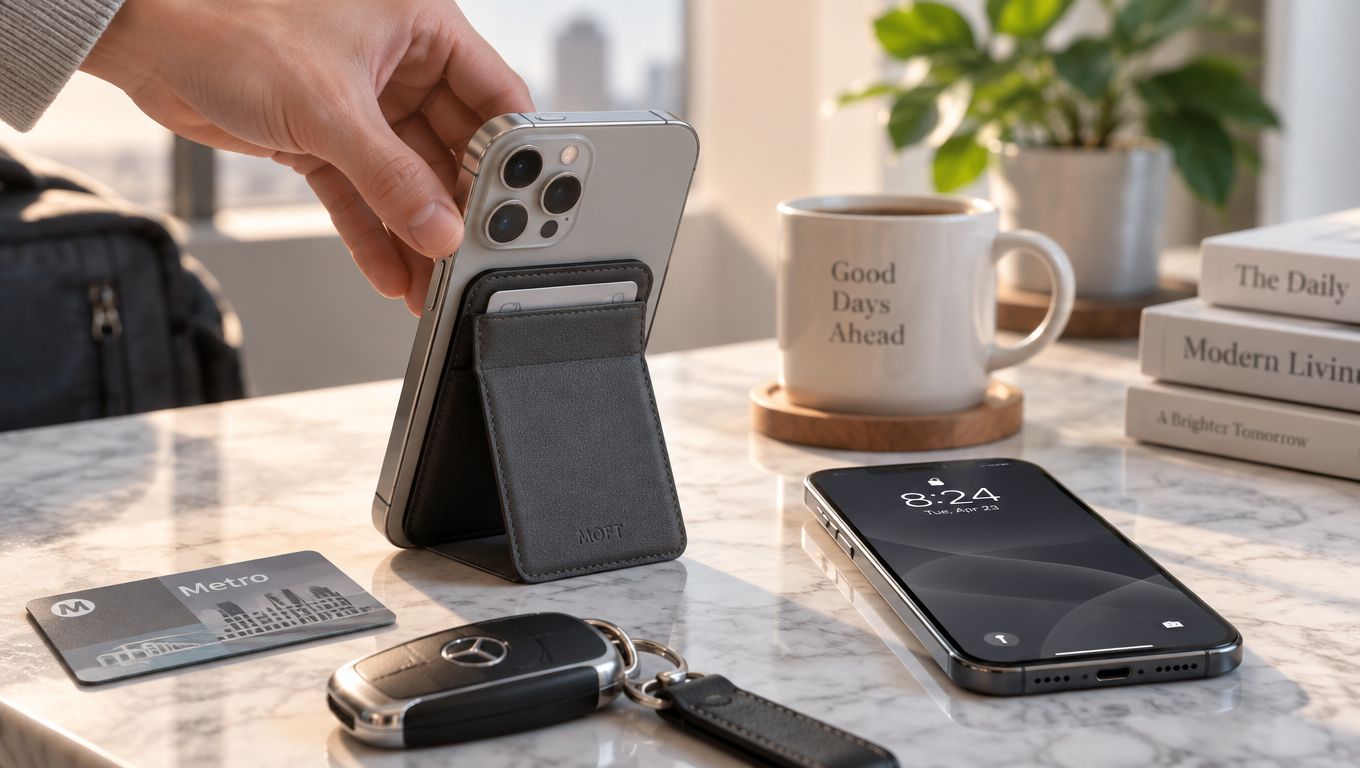
The design suits several everyday users:
- Busy professionals: A phone and a few essential cards can move from a coat pocket to a meeting room without requiring a separate wallet.
- Students: A compact card holder can keep an ID or payment card close while leaving less loose gear in a backpack or jacket.
- Minimalists: The format supports a deliberately small everyday carry without asking the user to give up card access.
- Gift shoppers: A phone accessory that solves pocket clutter can feel more useful than a decorative gadget, especially for someone who already relies on an iPhone throughout the day.
The stand function adds a second layer of convenience. Once unfolded, the phone can sit upright for a video call, a recipe, a presentation, or a show at a desk. That means the wallet doesn't replace a card holder. It can also replace the need to prop the phone against a mug, book, or other unstable object.
Practical rule: A wallet stand works best when it carries only the cards that genuinely need to travel with the phone.
There is a limit to the promise of a lighter pocket. A wallet attached to a phone still adds thickness and can make the device feel uneven in one hand. Card access may also require unfolding or separating the stand, depending on the design. The right choice therefore depends on whether the buyer values consolidation more than the familiar simplicity of a separate wallet.
How Magnetic Attachment Actually Works
MagSafe began with Apple's introduction of the iPhone 12 family on October 13, 2020. Apple positioned the system as both a charging method and an accessory platform, combining a ring of magnets with the iPhone's wireless-charging coil. The launch included the iPhone 12, iPhone 12 mini, iPhone 12 Pro, and iPhone 12 Pro Max, along with cases, chargers, a card wallet, and the MagSafe Duo Charger. Apple's system supported wireless charging at up to 15 watts while remaining compatible with existing Qi-enabled devices, as described in Apple's iPhone 12 announcement.
A wallet stand uses the accessory side of that system. The basic process is straightforward:
- The iPhone or MagSafe case provides a circular magnetic interface.
- The wallet stand contains a matching planar ring.
- Bringing the two surfaces together encourages the rings to align.
- The aligned connection holds the accessory in place while the hinge or panel provides the stand function.
This differs from an adhesive wallet, which relies on a sticky layer that stays attached to the phone or case. It also differs from a slip-case wallet, which depends on friction and an enclosing pocket. Magnetic attachment allows a wallet stand to be removed when the phone needs to connect to another accessory.
The geometry matters more than a generic “magnetic” label suggests. Apple's accessory guidelines specify a magnet ring, an optional orientation magnet, magnets positioned in the same plane, and 5 mm of clearance from the iPhone's mating surface for components extending beyond the defined keep-in region, according to the Apple Accessory Design Guidelines. Apple-related technical reporting in those guidelines cites a maximum radial alignment error of 1.55 mm and an attachment range of 800 to 1100 gram-force for compatible magnetic accessories.
A centered ring, consistent polarity, and rigid hinge help the wallet resist twisting when the phone is tapped. Shoppers comparing other magnetic accessories can also review this explanation of a magnetic phone mount to see why alignment and surface spacing affect the feel of the connection.
Checking iPhone Compatibility Before You Buy
Compatibility starts with the phone model, then moves to the case. Apple identifies the iPhone 12 and later model families as supported MagSafe generations, including the iPhone 12 mini, iPhone 12, iPhone 12 Pro, and iPhone 12 Pro Max. Later compatible families also use the same magnetic accessory approach, while a phone without the required interface won't provide the expected attachment.
A simple buying check can prevent most fitting problems:
- Identify the exact iPhone model: The model name matters more than the phone's screen size or general appearance.
- Inspect the case label: A case marked MagSafe-compatible should include its own magnetic ring rather than relying only on the phone beneath it.
- Consider the case thickness: Rugged construction, raised panels, and extra layers increase the gap between the wallet and the phone.
- Check the wallet's product specification: “Magnetic” alone doesn't confirm that the ring follows MagSafe positioning or provides a reliable hold.
- Test the setup together: The phone, case, and wallet form one system. A wallet that holds well on a bare phone may feel weaker through a thick case.
The air gap is the main reason a promising setup can feel loose. Magnetic coupling declines as the wallet sits farther from the phone's matching surface. A generic case with a decorative magnet may also place the ring off-center, making the wallet rotate or detach when the phone moves.
Apple says its MagSafe Wallet attaches directly to compatible iPhone models or to a MagSafe-compatible case, and its support guidance identifies the relevant generation and case relationship in Apple's MagSafe Wallet compatibility information. A shopper considering a different wallet stand should apply the same logic.
More detail about case construction appears in this guide to a MagSafe-compatible phone case. The safest pairing is a compatible iPhone, a properly aligned MagSafe case, and a wallet stand designed specifically for that magnetic geometry.
Pros and Cons of Using a Wallet Stand
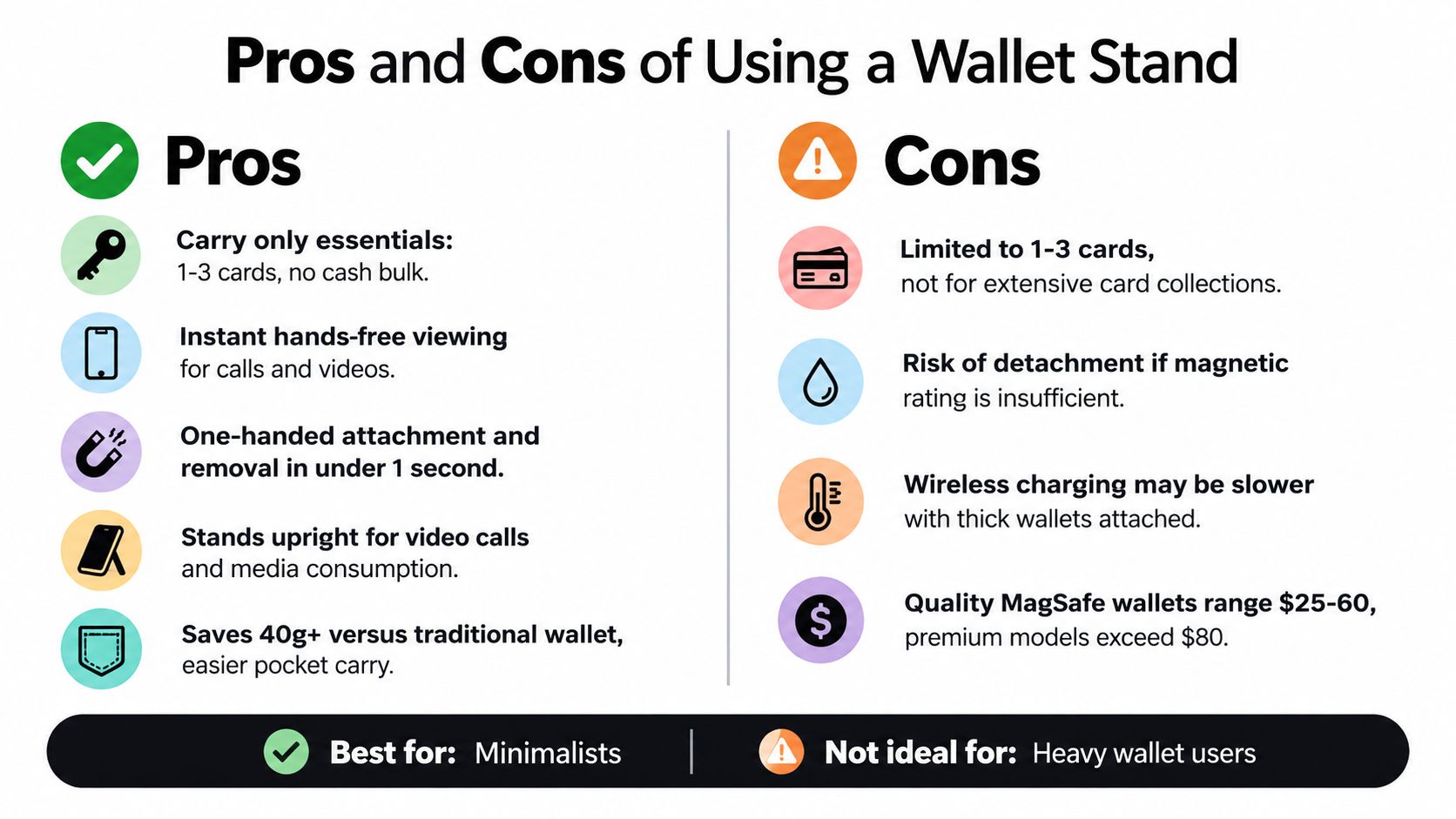
The strongest reason to choose a wallet stand is consolidation. A phone, a small set of essential cards, and a kickstand can occupy one compact setup instead of several separate objects. For a commuter or desk-based user, that can make daily transitions feel simpler.
Where the design helps
A good wallet stand can make common tasks easier:
- Fewer separate items: Essential cards stay with the phone instead of moving between pockets.
- Hands-free viewing: The folded panel can support video calls, recipes, navigation, or media at a desk.
- Flexible attachment: The accessory can come off when the phone needs a different MagSafe accessory.
- Useful gifting: The combination of card storage and a stand gives the product a clear everyday purpose.
- Quick access: A card holder on the phone is easy to locate during a checkout or building entry.
The kickstand also changes the phone's position. Rather than holding the device for every call or video, the user can place it on a stable surface and adjust the viewing orientation offered by the hinge.
Where the design compromises
The same features create limits:
- More bulk: A wallet stand is thicker than a bare phone and may feel awkward in a very small pocket.
- Uneven handling: The attached wallet shifts the phone's balance toward one side.
- Slower card retrieval: A fold-out panel or tight card slot may take longer than pulling a card from an open wallet.
- Attachment risk: A weak or poorly aligned magnetic ring can let the accessory slide or detach during movement.
- Reduced capacity: The format favors essential cards rather than a large collection of payment cards, receipts, cash, and identification.
The comparison is simple. A separate wallet offers capacity and familiar access, while a MagSafe wallet stand offers consolidation and a built-in support function. A slim magnetic card holder offers fewer moving parts, but it won't provide the same viewing angles.
The best fit is usually someone who carries a small number of cards and values the stand enough to accept extra thickness. Someone with a large wallet or frequent cash needs may find the accessory restrictive.
The Hidden Charging and Safety Trade-Offs
A wallet stand shouldn't automatically remain attached when the phone goes on a wireless charger. The phone's charging coil sits in the same general area as the magnetic alignment system, so cards, metal inserts, and additional magnets can create spacing or interference between the phone and charger.
Apple explains that MagSafe magnets align the phone and charger for more consistent wireless power transfer. Apple also advises removing credit cards, security badges, passports, and key fobs from between an iPhone and a MagSafe Charger because the magnetic field can damage magnetic strips or RFID chips, as stated in Apple's MagSafe charging safety guidance.
The practical routine is uncomplicated:
- Before charging: Detach the wallet stand.
- Before using a power bank: Remove cards and the wallet from the charging surface.
- Before charging overnight: Avoid leaving payment cards, hotel keys, transit cards, or identification items trapped between the phone and charger.
- When testing a new setup: Compare the phone bare, inside its case, and with the wallet loaded, then watch for inconsistent alignment or excess warmth.
A slim wallet isn't automatically a charging-friendly wallet. Even a small increase in distance can affect alignment and peak power, so a design that feels excellent as a viewing stand may be inconvenient for someone who uses magnetic charging throughout the day. A wallet stand that folds flat and leaves the charging surface unobstructed is generally easier to manage, but the wallet still needs to be removed for card safety.
The same caution applies to newer magnetic charging arrangements. Product pages should state clearly whether the wallet is intended to remain attached during charging, rather than implying that magnetic attachment and wireless power transfer are always compatible. Readers can find a broader explanation of MagSafe charging speed before comparing charging habits.
Find My also isn't automatic. Apple says a supported iPhone Wallet with MagSafe can connect to an Apple Account, show its last known location, mark the wallet as lost, and notify the user if it detaches. That feature depends on the specific wallet model, and Apple's iPhone 12 Clear Case doesn't support Find My, according to Apple's instructions for adding an iPhone Wallet with MagSafe. Buyers should look for explicit Find My support instead of assuming every magnetic wallet stand includes tracking.
Finding Your Perfect MagSafe Wallet
The best MagSafe wallet stand balances three jobs: it must hold securely, store cards safely, and support the phone without wobbling. A product that excels at only one of those tasks can become frustrating during ordinary use.
Start with the connection
Magnetic strength should be evaluated with the intended case attached, not only on a bare phone. The ring should sit centered, the wallet shouldn't rotate easily under light pressure, and the hinge shouldn't provide so much mechanical advantage that a small tap pulls the accessory away.
Case compatibility remains part of this test. A properly aligned MagSafe case generally provides a more predictable connection than a thick generic case with an uncertain magnetic layout.
Examine the moving parts
The stand panel should fold flat enough for pocket carry and open without feeling loose. A rigid hinge helps maintain a repeatable viewing angle, while a flexible panel may collapse during a call or while watching content. Card slots should hold the selected cards firmly without making removal unnecessarily difficult.
Material choice affects the everyday feel. Leather, textile, synthetic materials, and fabric can have different textures, cleaning needs, and aging patterns. The key question isn't which material sounds most premium. It's whether the surface can handle regular pocket contact and whether the wallet remains comfortable during frequent handling.
Match capacity to routine
A compact wallet stand makes sense for a payment card, identification, and one frequently used access card. Someone who carries cash, membership cards, several payment cards, or passports needs a different format. Overloading a slim design can strain the slots, change the stand's balance, and make the accessory thicker than expected.

A careful shopper should also check charging warnings, card protection guidance, return terms, and whether Find My is explicitly supported. The strongest choice isn't necessarily the slimmest or most feature-heavy model. It's the one whose attachment, capacity, stand mechanism, and charging routine match the buyer's actual day.
Granted Solutions offers practical gadgets and everyday accessories selected to make routines simpler, including useful phone and MagSafe solutions. Visit Granted Solutions to explore wallet stands and other problem-solving gifts for a more organized everyday carry.
Leave a comment