

Best Budget Projectors: A Smart Buyer's Guide for 2026

You've dimmed the lights, queued the movie, and invited everyone in. Then the opening scene appears as a pale rectangle on the wall, the shadows disappear, and the built-in speaker struggles to fill the room. The projector looked like a bargain until the room exposed its limits.
That's the central challenge with choosing among the best budget projectors. A low purchase price doesn't guarantee a satisfying picture, because brightness, placement, sound, and accessories can matter as much as resolution. The right model can turn a bedroom, patio, dorm, or living room into a comfortable viewing space. The wrong one can leave a buyer paying twice, first for the projector and later for solutions to its weaknesses.
Table of Contents
- Finding Your Perfect Projector Match
- Key Specs to Understand Before You Buy
- Comparing Projector Types for Different Needs
- Setting Up Your Projector for the Best View
- Understanding the True Cost of Ownership
- Ready to Upgrade Your Home Cinema Experience
Finding Your Perfect Projector Match
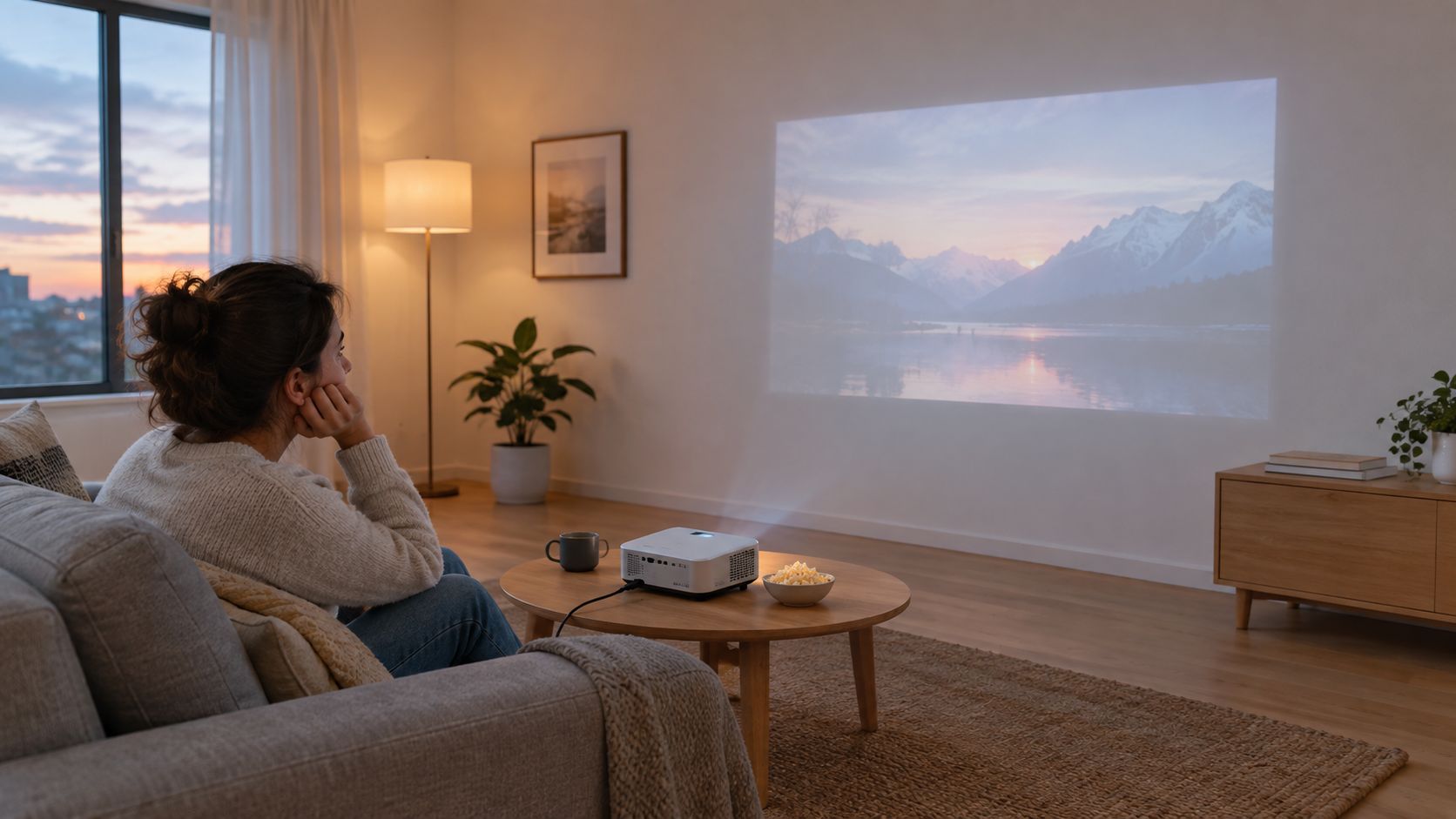
A successful projector purchase starts with the room, not the product listing. A compact LED model may work beautifully on a bedroom wall after sunset, yet look disappointing in a living room with open curtains. A brighter short-throw model may suit a small apartment better, even if it costs more and takes up more shelf space.
The demand for flexible projection remains substantial. The global portable projector market is expected to grow from USD 1.53 billion in 2023 to USD 1.65 billion by the end of 2024, showing increasing consumer demand for affordable, versatile display solutions, according to portable projector market statistics. That portability is useful, but it doesn't remove the need to match the projector with the environment.
Start with the viewing habit
A buyer who watches films in a dark bedroom has different priorities from someone who wants daytime sports, console gaming, or outdoor movie nights. Before comparing models, it helps to answer three practical questions:
- Where will it be used? A fixed living-room setup can accommodate a larger unit, while a portable model should be easy to move and store.
- When will it be used? Evening viewing gives lower-cost projectors a better chance, while daytime use demands more tested brightness.
- What will be connected? Streaming sticks, consoles, laptops, Bluetooth speakers, and phones all make connectivity part of the ownership experience.
For movie watching, native 1080p is often the sensible target because it preserves fine detail without forcing buyers into premium pricing. Ultra-cheap 720p models can still work for casual cartoons or small images, but the loss of clarity becomes more obvious as the screen grows or subtitles appear.
The practical match
The best budget projector isn't automatically the cheapest model or the one with the largest number on its box. It's the device that delivers an acceptable picture in the actual room, reaches the desired screen size from the available distance, and connects to the equipment already in the home.
Practical rule: A slightly higher upfront cost can be sensible when it buys enough brightness, native resolution, or placement flexibility to avoid replacing the projector later.
Key Specs to Understand Before You Buy
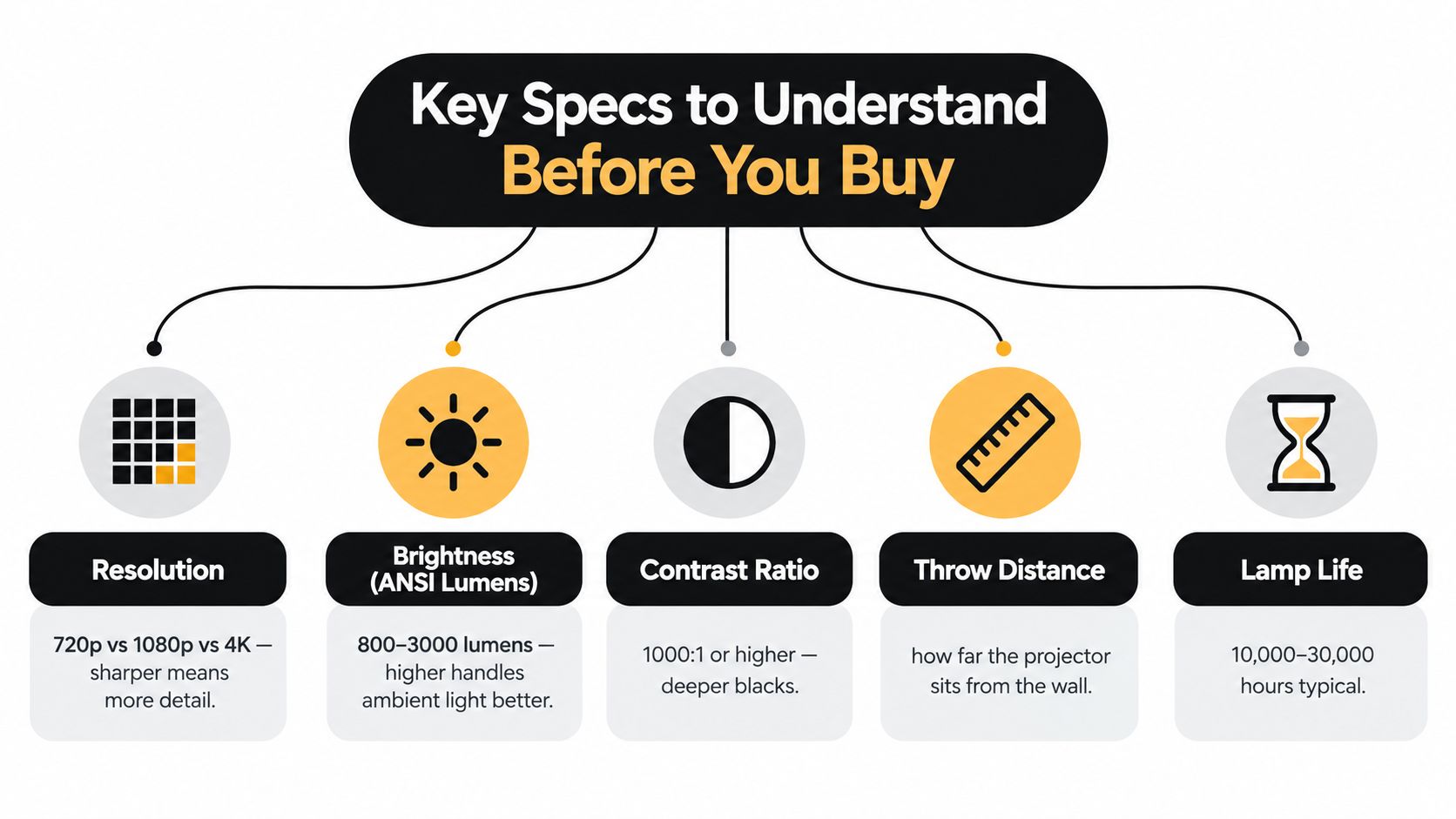
Projector specifications become useful only when they answer a real-world question. Resolution tells buyers how much detail the image can show. Brightness tells them whether that detail will remain visible. Contrast affects depth, throw distance determines placement, and the light source influences maintenance.
Resolution is only the starting point
Native resolution is the actual pixel structure used to create the image. A projector that accepts a 4K signal may still display it at a lower native resolution, so “supports 4K” shouldn't be confused with true 4K output. For most budget movie setups, native 1080p is the more useful target because it gives text, faces, and detailed scenes a cleaner appearance than 720p.
The practical exception is scale. A small bedroom image viewed from farther away may hide some limitations, while a large wall makes softness easier to notice. Buyers comparing models should therefore check native resolution rather than relying on input compatibility.
Brightness needs a trustworthy measurement
Brightness is where many budget listings become difficult to interpret. ANSI lumens use a standardized measurement approach, while unnamed marketing lumens may not provide a comparable basis. The Smart Home Hookup's explanation of ANSI lumens describes a method that measures a white image across nine sections, averages the output, and accounts for screen area.
Expert testing places models between 600 and 2,000 ANSI lumens in the range generally suited to darkened rooms, while 2,000 to 3,000 ANSI lumens is the practical floor for daytime or evening viewing with some ambient light, as explained in this cheap projector brightness guide. More room light without sufficient output causes the image to look washed out, regardless of its resolution.
Contrast and placement complete the picture
Contrast determines how convincingly a projector separates dark and bright areas. Independent testing recorded an ANSI contrast score of 313:10 for the Epson Home Cinema 2350 in TechGearLab's projector testing. The useful lesson is that a projector with strong brightness and controlled black levels can look more dimensional than a dimmer model with an impressive resolution label.
Throw ratio controls where the projector can sit. It's calculated as throw distance divided by image width, so a 1.4:1 projector needs 14 feet to create a 10-foot-wide image. Buyers who need a clearer checklist can use this projector selection guide alongside the manufacturer's placement specifications.
Comparing Projector Types for Different Needs
The most useful comparison isn't DLP versus LCD in isolation. It's portable versus fixed, dark-room versus mixed-light, and casual play versus responsive gaming.
Portable LED models
Mini and handheld projectors are convenient for bedrooms, dorms, travel, and occasional outdoor use. Their compact size makes setup easy, and built-in Wi-Fi, Bluetooth, autofocus, or keystone correction can reduce cable clutter and alignment work.
The trade-off is usually light output. A portable unit may produce an enjoyable image after sunset but struggle against lamps, windows, or patio lighting. It also may rely on an external speaker for satisfying movie sound, particularly outdoors where sound disperses quickly.
Home cinema models
A home-theater projector generally gives more attention to image processing, lens quality, contrast, and quiet operation. These models suit buyers who can leave the device in one room and control the lighting. A wall or screen can then become a regular entertainment surface rather than an occasional novelty.
The compromise is mobility. A larger chassis may need a dedicated shelf, ceiling mount, or carefully measured position. That makes it less appealing for someone who wants to move the projector between a bedroom and backyard.
Gaming-focused projectors
Gaming changes the buying criteria. Resolution still matters, but input lag determines how quickly an on-screen action responds to a controller. Many inexpensive DLP presentation projectors measure around 33 milliseconds, while models under 20 milliseconds are considered ideal for responsive gaming, according to Projector Central's input-lag guide.
A casual player may accept more delay for story-driven games, turn-based titles, or party play. Competitive players should prioritize a verified gaming mode, tested input lag, adequate brightness, and a throw design that fits the room. A short-throw projector can create a large image without placing the unit far behind the player, but the buyer should confirm the actual throw range rather than assuming every short-throw model behaves alike.
DLP and LCD in plain English
DLP projectors often appeal to buyers seeking compact designs and sharp motion. LCD models can deliver pleasing color and may fit presentation or mixed-use environments. Neither technology automatically guarantees a better image, because brightness, contrast, processing, lens quality, and calibration still decide the result.
A projector type is useful only when it fits the room and the activity. Portability helps a traveler, brightness helps a daytime viewer, and low lag helps a competitive player.
Setting Up Your Projector for the Best View
A budget projector can look disappointing in a bright room, even when its resolution seems adequate. Start by controlling light with curtains, blinds, or evening viewing. Ambient light lowers perceived contrast, turns blacks gray, and can matter more than changing a picture preset or moving up to a sharper resolution.
Placement comes next. Measure the distance from the intended projector position to the wall or screen before unboxing. Apply the throw ratio from the specs section: at 1.4:1, a 10-foot-wide image needs 14 feet. BenQ's projector installation calculator can help confirm whether the room suits the model.
A simple setup sequence
- Darken the room first. Test the image under the lighting conditions you will use. A projector that looks strong at night may appear washed out during an afternoon viewing.
- Position the lens squarely. Keep the unit level and as centered as the room allows. Keystone correction helps with minor alignment, but heavy correction can reduce usable image quality.
- Set image size before focus. Adjust the projector's distance or zoom first, then focus. Autofocus saves time, while manual checking keeps subtitles and small text sharp.
- Check brightness at the final size. A larger image spreads the available light across more area. If the picture looks dull, reduce the image size or darken the room before blaming the resolution.
- Connect sound separately when needed. Built-in speakers suit personal viewing, but an external speaker can make dialogue clearer and improve outdoor listening. Check Bluetooth compatibility or use a wired connection.
- Use a stable surface. A wobbling table can shift alignment and force repeated adjustments. Choose a suitable shelf, stand, or mount.
The projector setup guide from The Granted Solutions covers positioning, connections, and image adjustments before the first movie night.
Understanding the True Cost of Ownership
The projector price is only the beginning of the budget. A bare wall may be perfectly adequate for a casual bedroom session, but uneven paint, texture, or a dark wall can reduce uniformity. A dedicated screen gives the image a more predictable surface and can improve the perceived brightness and color consistency.
Audio is another common surprise. Small projectors often include speakers for convenience, but built-in audio may not create the room-filling sound expected from a large image. A compact external speaker, soundbar, or existing Bluetooth setup can become part of the actual purchase decision.
The accessory checklist
A buyer should estimate the complete setup before choosing a model:
- Screen or wall surface: A smooth, light-colored wall may be enough for occasional viewing. A screen becomes more worthwhile for frequent use, larger images, or rooms where the wall surface is uneven.
- Stand or mount: A stable table can handle a portable unit. A permanent installation may need a compatible mount and careful cable routing.
- Audio: Built-in speakers are convenient, while external sound improves dialogue and atmosphere.
- Streaming and cables: Smart features may reduce the need for extra devices, but HDMI cables, streaming hardware, or adapters can still be necessary.
- Power and storage: Portable use may require a practical place to charge, pack, and protect the projector between sessions.
Neutral buying guidance emphasizes resolution, brightness, screen size, throw distance, and connectivity, but often gives less attention to the add-ons that determine satisfaction, as noted in Epson's projector buying guide.
Match spending to the use case
A bedroom projector can stay simple if the room is dark and the wall is smooth. A dorm setup may benefit more from portability and built-in streaming than from maximum brightness. Outdoor viewing usually needs stronger light output, practical audio, a stable screen, and a plan for power and storage.
The smartest budget isn't the lowest projector price. It's the amount that produces a complete setup without forcing compromises that make the device frustrating to use. For shoppers comparing practical home gadgets, Granted Solutions offers compact projector-related products alongside everyday accessories, giving buyers another place to consider the equipment surrounding the main device.
Ready to Upgrade Your Home Cinema Experience
Choosing among the best budget projectors becomes easier when the decision follows the room rather than the advertising. Dark spaces can make modest brightness more usable. Larger screens expose soft resolution. Gaming makes input lag important, while portable use makes size, connectivity, and setup speed more valuable.
A sensible buyer should prioritize native resolution, tested brightness, throw distance, and the intended activity. The decision shouldn't stop at the projector body, either. A suitable screen, stable stand, and better audio can transform a basic purchase into a more enjoyable system, while ignoring those needs can make an otherwise capable projector feel underpowered.
For readers who expect to move the projector between rooms or take it outside, a guide to portable projector screens can help clarify the screen side of the purchase. The best setup is the one that fits the viewing habit, the available space, and the total amount the buyer is prepared to spend.
Granted Solutions brings together practical gadgets and home accessories for shoppers building simpler, more flexible entertainment spaces. Browse Granted Solutions to explore projector-related products and useful everyday gear, then choose the screen, sound, and setup pieces that make the next movie night work in your actual room.
Leave a comment